Move or cancel an appointment
Move a booking to another time, or cancel it with the reason, from the diary.
- Where
- Practice portal
- Who can do this
- Administrator, Doctor, Midwife, Nurse, Reception and Staff
When a patient calls to change their appointment, move it. When they cannot come at all, cancel it and say why.
Steps
To move a booking:
- Choose Appointments on the left, and choose the day of the booking.
- Choose the booking in the diary.
- In This appointment, choose Move it.
- Change the time in Start time · 24-hour, HH:MM, or the day.
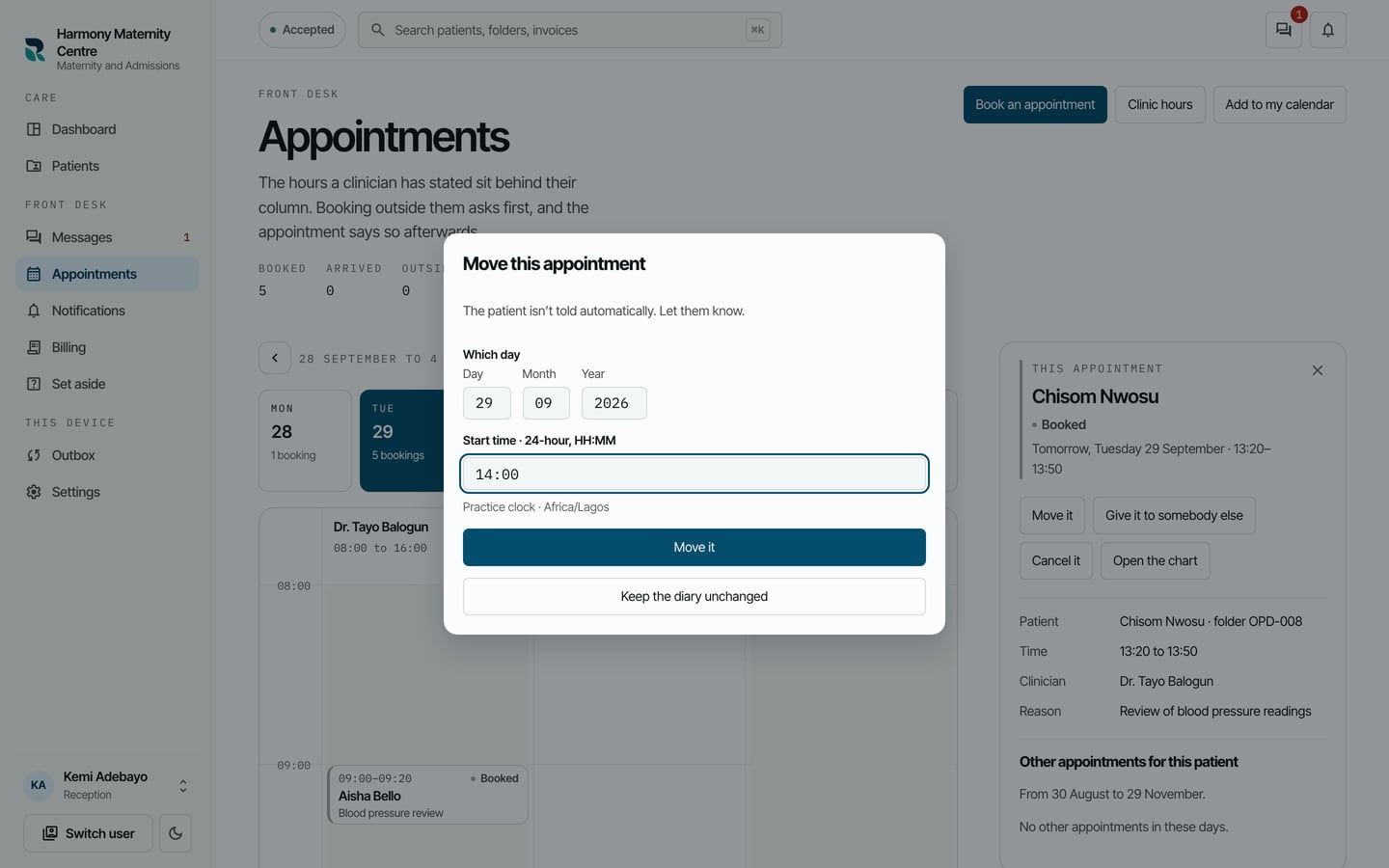
- Choose Move it.
To cancel a booking:
- Choose the booking in the diary.
- In This appointment, choose Cancel it.
- Say why in Why it is being cancelled.
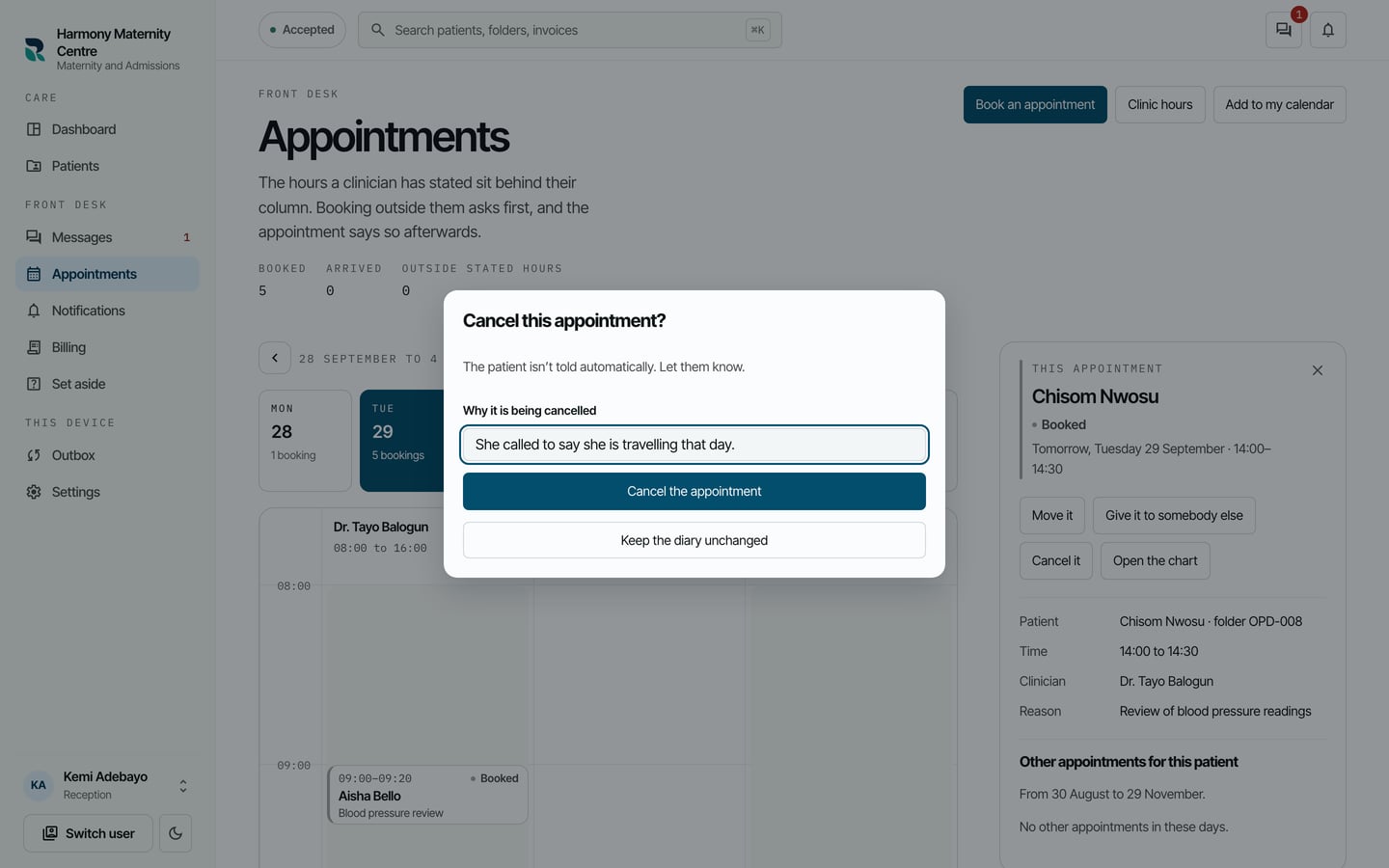
- Choose Cancel the appointment.
What to expect
A moved booking shows at its new time. A cancelled booking stays in the diary marked Cancelled, with the reason, so the desk can see what happened to it.
Give it to somebody else in the same place moves a booking to another clinician.